guide registrationDaftar sekarang untuk menikmati diskaun 15% hadiah ahli baharu!Pergi ke pendaftaran >
7DS : Origin (Global)

7DS : Origin (Global)

Penghantaran SegeraPenghantaran Segera
🔥Jemput Rakan Dan Dapatkan 15%OFF

Self Top-up now live! Recommended! Steam/PlayStation users: please link Google & associated account first.

Pengenalan produk

7DS Origin Top up - Cheap, Secure & Fast

Ready to recruit your next SSR in The Seven Deadly Sins: Origin? From open-world exploration in Britannia to building teams around your favorite heroes, progression can slow down quickly when banners, upgrades, and resources all demand more. For players who don’t want to miss limited characters or fall behind on team growth, topping up is often part of the journey. LDShop makes 7DS Origin top-up cheaper, faster, and easier, so you can spend less time worrying about resources and more time enjoying the adventure.

Service Scope

  • Supported Server: Global Server
  • Supported Clients: PC & Mobile

*Steam Users: Please link your Google account to your game account before topping up.

Recharge Information Required

  • Login Method: Netmarble (recommend)/Facebook / Google  (Note: If you sign in using Google, you will no longer be able to link your Netmarble account.)
  • Game UID: Your in-game numeric ID
  • Account, Password & Verification Code

Note: Do not log into the game during the recharge process. We recommend changing your password after the transaction is complete.

Prosedur Tambah Nilai

How to top up The Seven Deadly Sins: Origin at LDShop?

1. Choose the 7DS Origin top-up item you want to buy on LDShop.

2. Choose your preferred payment method and complete your payment securely. 

3. Select your ideal top-up method, including self service and log-in top up.

4. Check the top-up status in the order center. Once completed, you can check the result in the game.

5. If you encounter any issues during the process, please contact customer service.

*Note: To avoid top-up failure, please do not log into the game during the recharge process. We recommend changing your password after the top-up is completed.

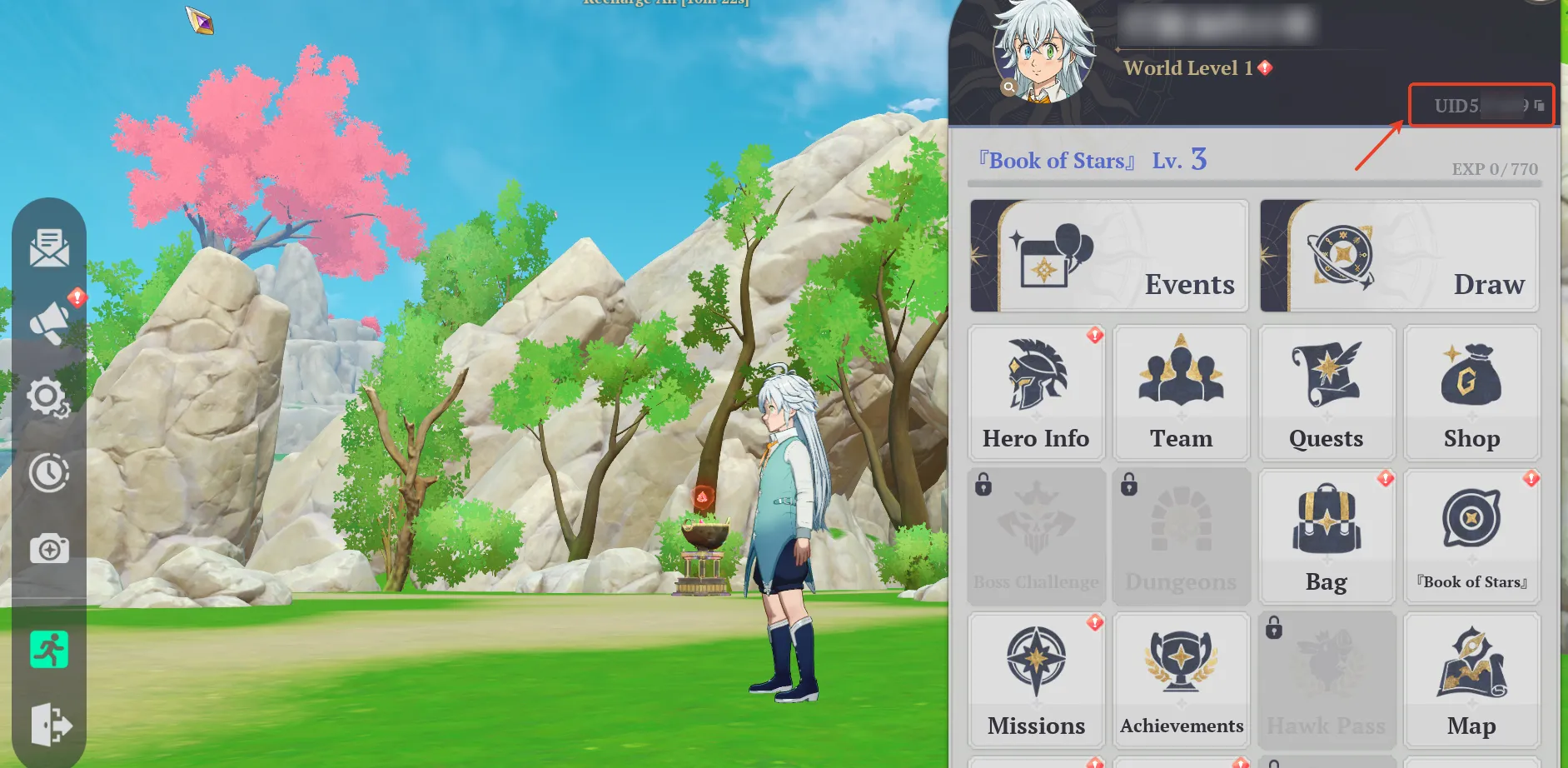
How to get the game account UID?

How to get the game account UID for 7ds origin top up

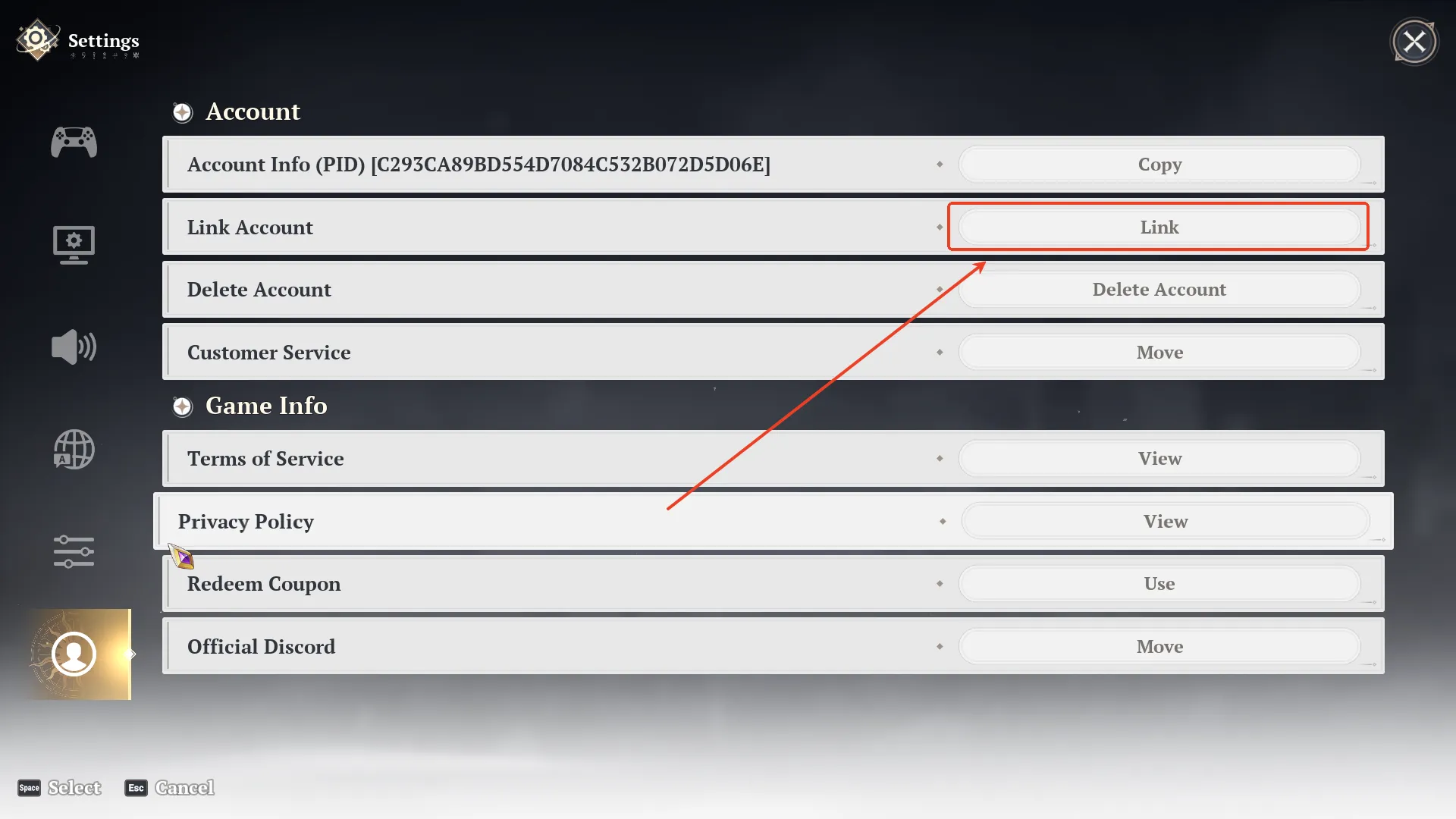
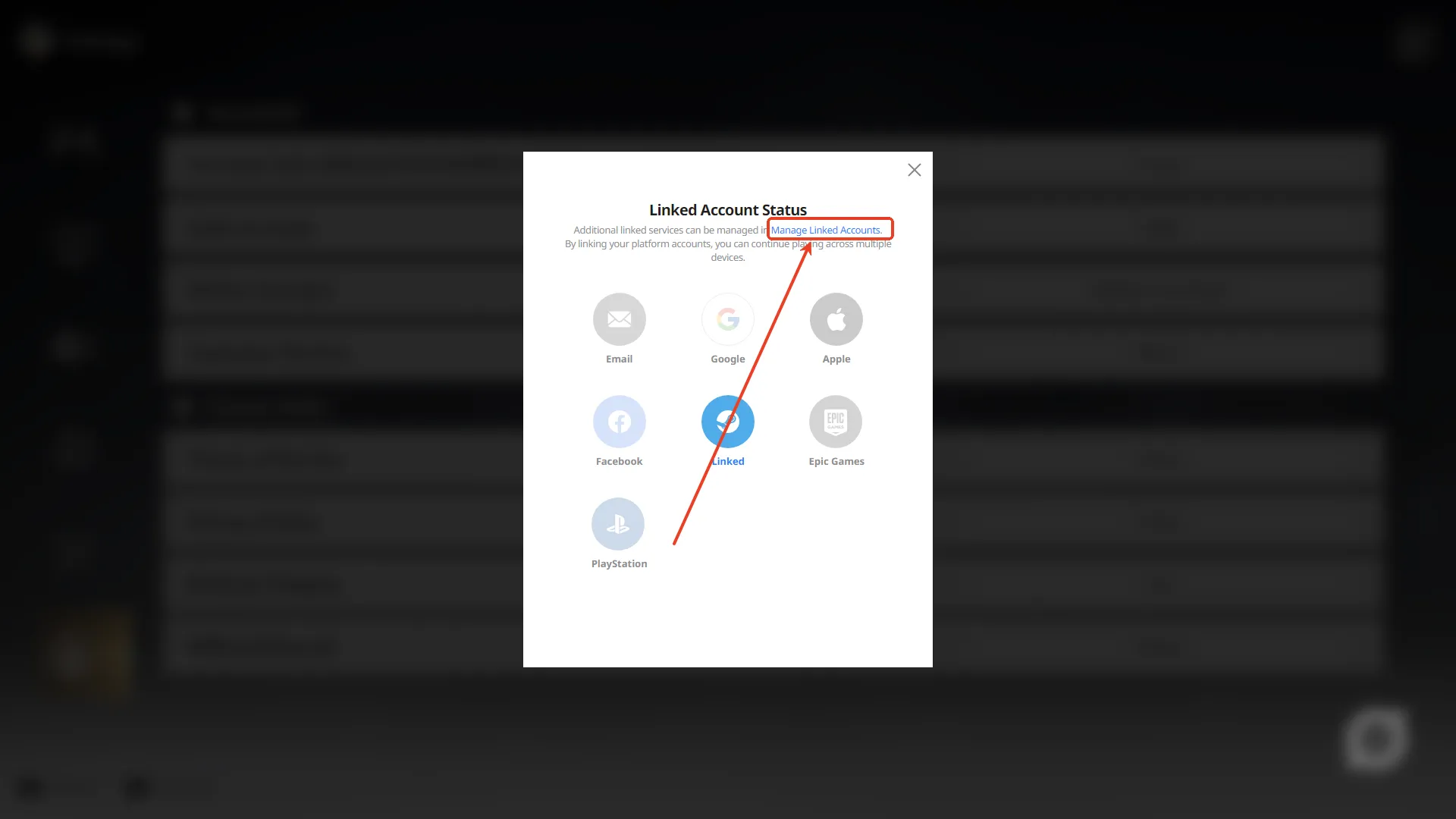
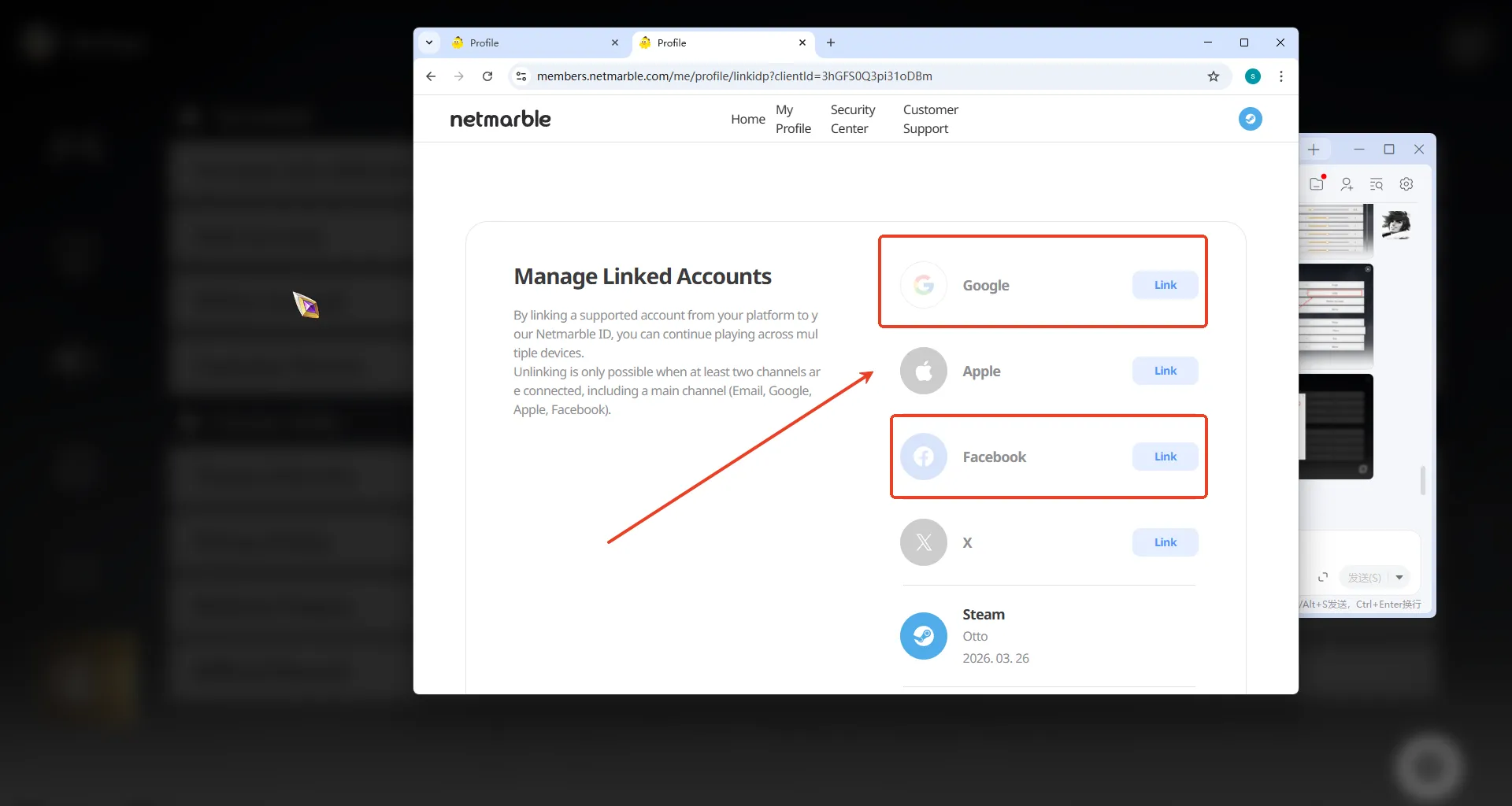
How to link your Google/Facebook Account to your Steam/PS Account?

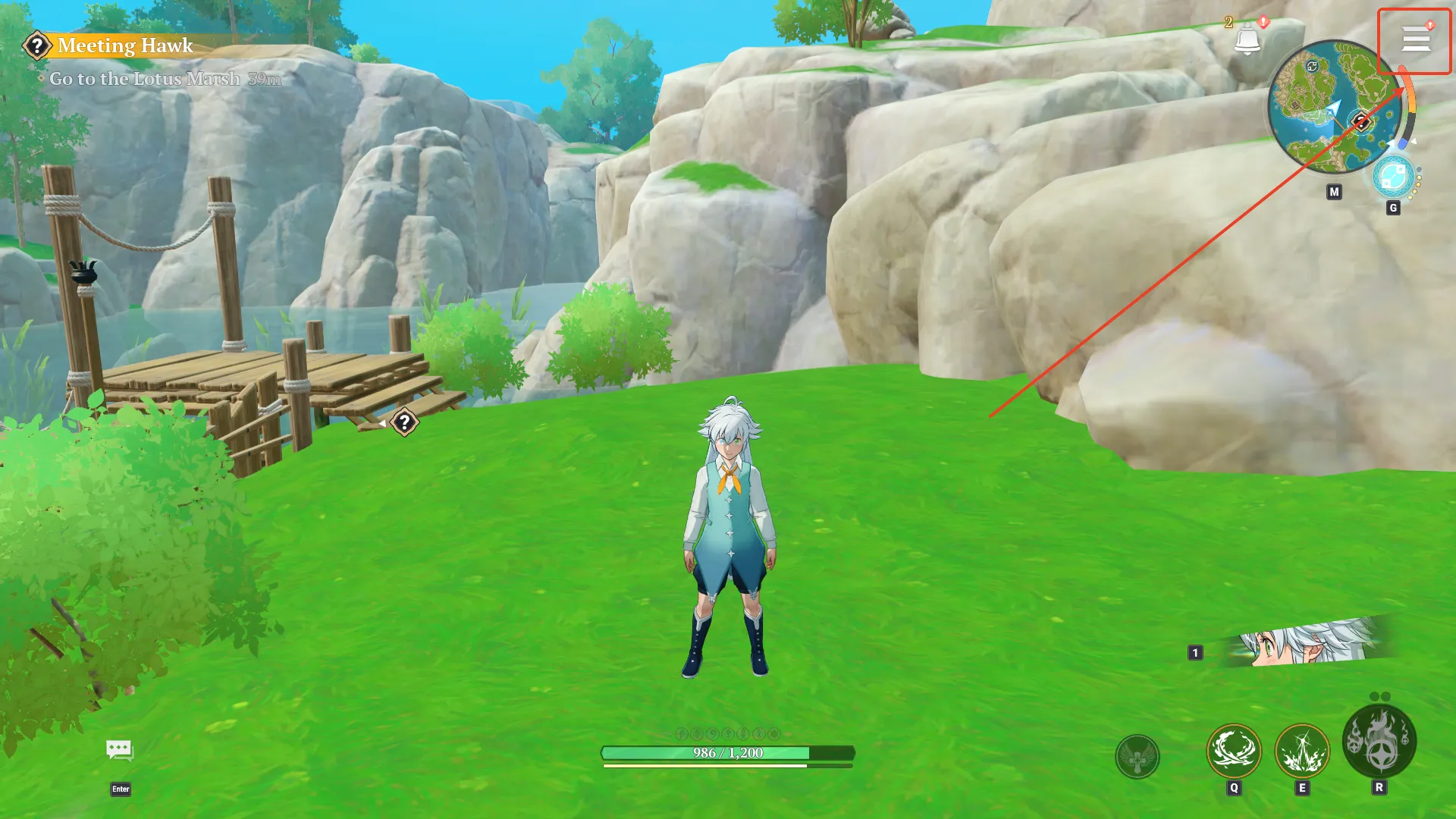
1.Press ESC or hold down the Alt key and click the top right button.

How to link your Google/Facebook Account to your Steam/PS Account to receive 7ds origin top up result

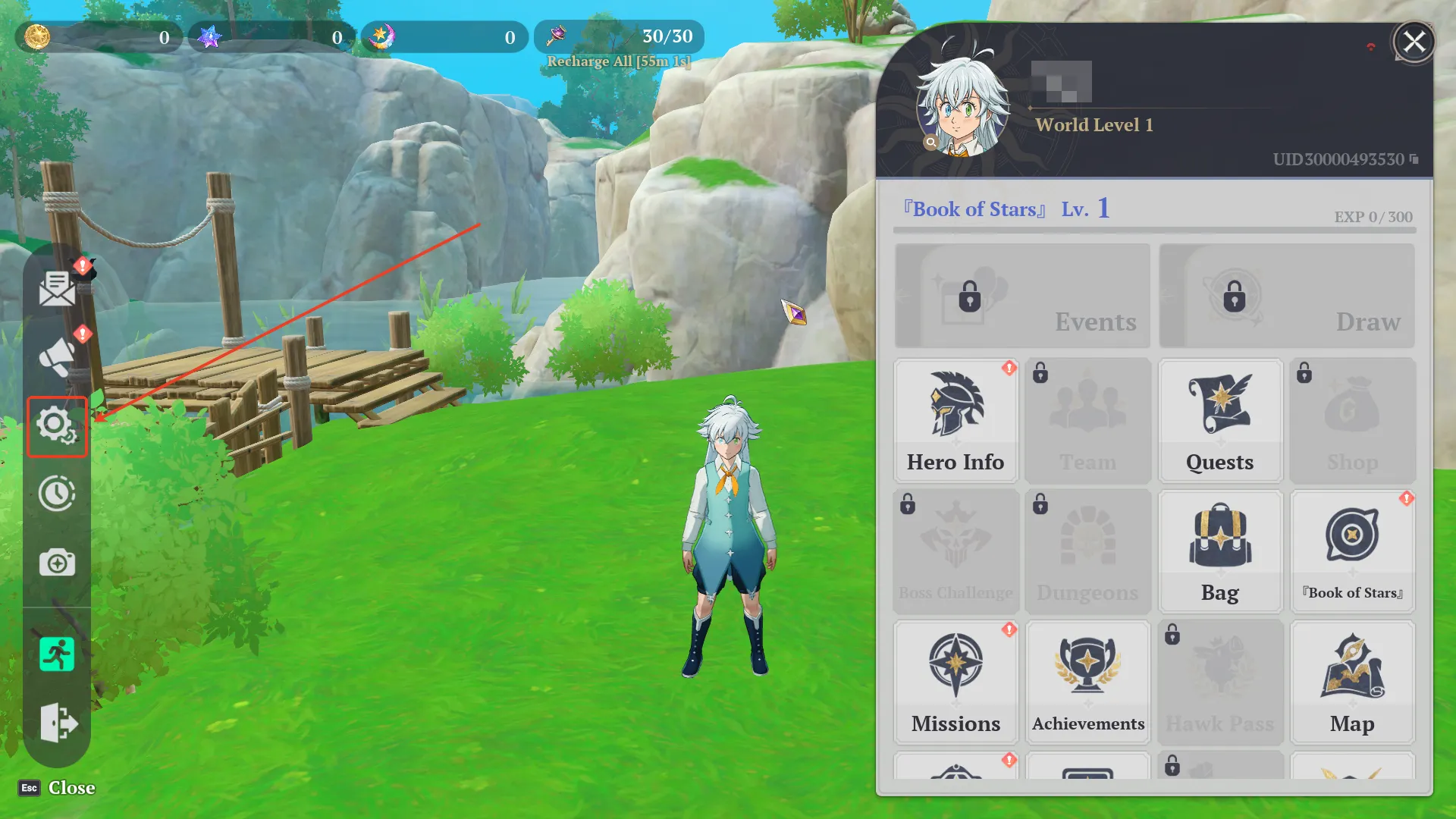
2.Click the button on your left side.

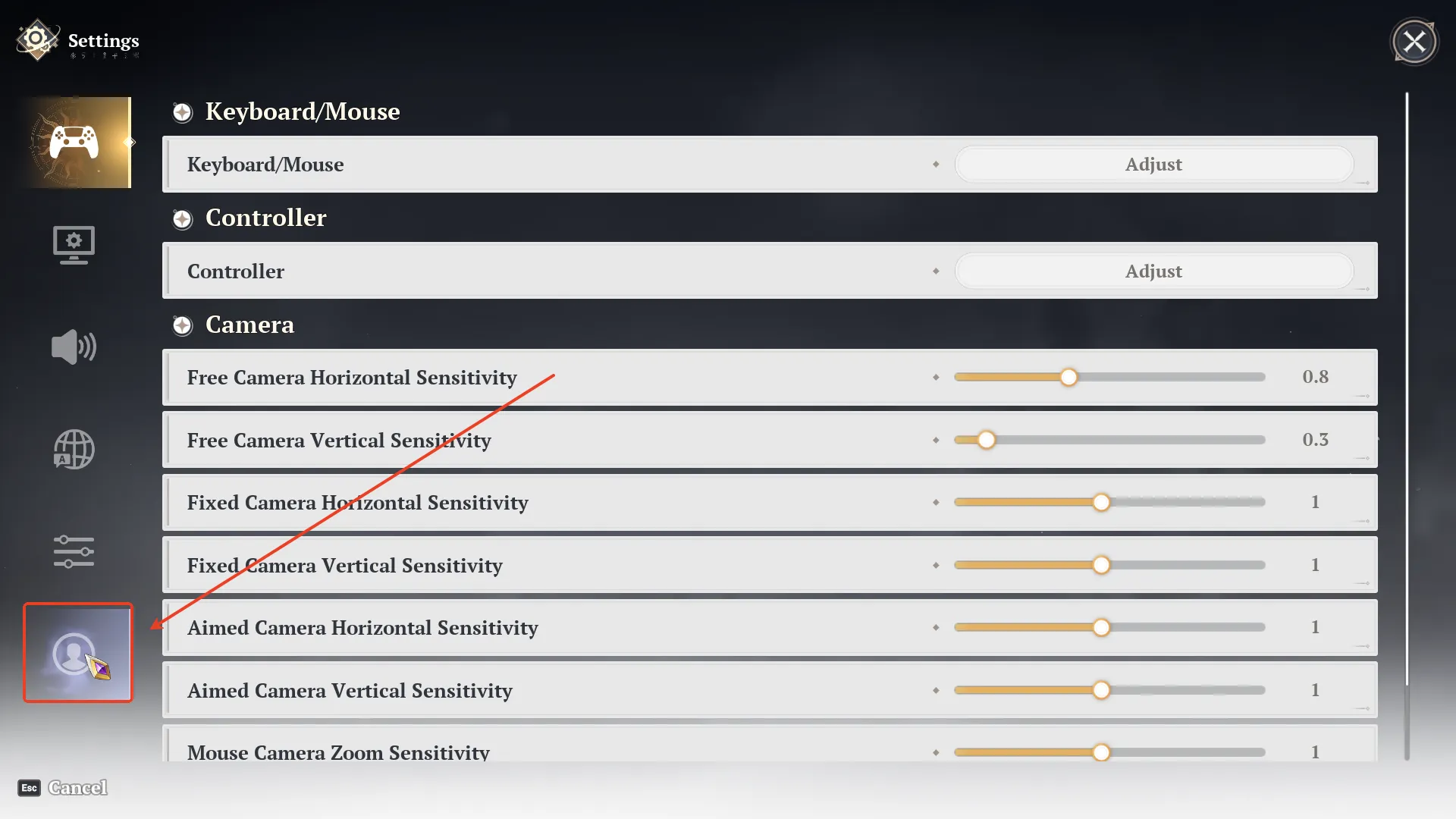
3.Press the button in the lower-left corner.

4.Click the "Link" button.

5.Click the blue Manage Linked Accounts in this row.

6.Select the way you want to link.


About The Seven Deadly Sins: Origin

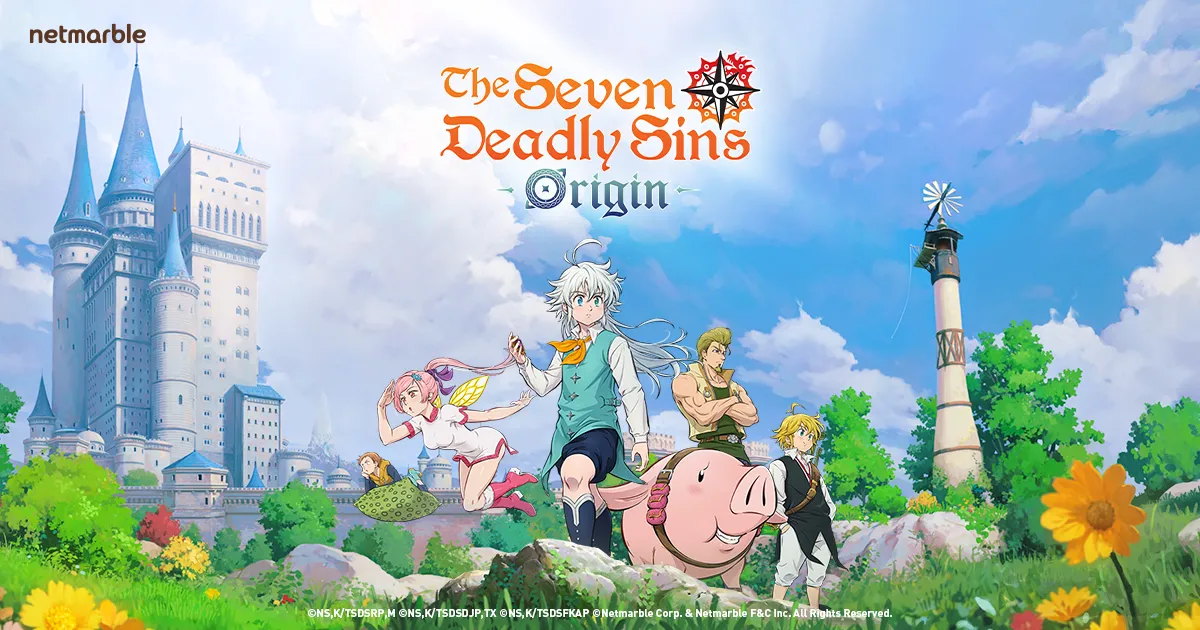
The world of The Seven Deadly Sins comes to life in a fully immersive open-world action RPG. Explore stunning landscapes, meet lifelike characters voiced by the original cast, and enjoy cinematic visuals that bring Britannia to a whole new level. With an original story beyond the anime, The Seven Deadly Sins: Origin invites players to begin a brand-new adventure.

Travel across open fields, deep lakes, hidden ruins, and lively towns as you create your own journey. Battle giant monsters, go fishing, cook meals by the fire, and uncover treasures and secrets scattered throughout the world. Every corner of Britannia offers something new to discover.

The Seven Deadly Sins: Origin top up

About The Seven Deadly Sins: Origin Star Memory

Star Memory is a premium currency in The Seven Deadly Sins: Origin, mainly used to obtain extra draw resources and purchase selected growth bundles from the in-game Shop. By exchanging Star Memory for Star Fragments or draw-related items, players can prepare more easily for limited-time banners, recruit powerful heroes, and strengthen their adventure party faster.

While Star Fragments can be earned through quests, exploration, chests, events, and other in-game activities, collecting enough resources for upcoming banners may take time. With LDShop The Seven Deadly Sins: Origin top up, players can recharge Star Memory quickly and securely, making it easier to save for favorite characters, speed up progression, and enjoy a smoother journey across Britannia.

Why Choose LDShop for Your 7DS Origin Top Up?

  • Instant Delivery: It is usually delivered automatically within 5 minutes after payment. No manual code redemption or long waiting—unlock skins  right away.
  • Cheap Rates & Discounts: Compared to official channels, LDShop often offers limited-time discounts, special bundles, or bonus credits. Get more Radiant Crystals for the same budget—maximize value!
  • Safe & Secure: LDShop is a trusted third-party platform using encrypted payment systems and official direct connections, minimizing account risk. Top up with confidence.
  • Flexible Payment Options: Supports credit cards, convenience store payments, e-wallets (e.g., PayPal), and other localized methods to suit different player preferences.

FAQ

Is it safe to top up The Seven Deadly Sins: Origin on LDShop? Is there any risk of my account being banned?
Topping up The Seven Deadly Sins: Origin on LDShop is completely safe. All transactions are protected by encryption technology. This ensures your account will not face any risks from topping up. You can use our services with confidence.

How long will it take for my top-up to be processed? 
Your top-up order is usually processed and delivered within approximately 5 minutes. If you encounter any delays, our 24-hour customer service team is ready to assist you at any time to ensure a smooth gaming experience.

What payment Methods Does LDShop Support? 
LDShop supports a variety of secure payment methods for you to choose from, including Visa, MasterCard, and PayPal. 

Official Links